


Xmiga
4.597.00 Reviews
App Specs
- Version
- 1.1.4
- Updated On
- License
- Free
- Downloads
- 1,000,000+
- Developer
- BESTSIV STUDIO
- Categories
- Social
- Platform
- Android
Screenshots

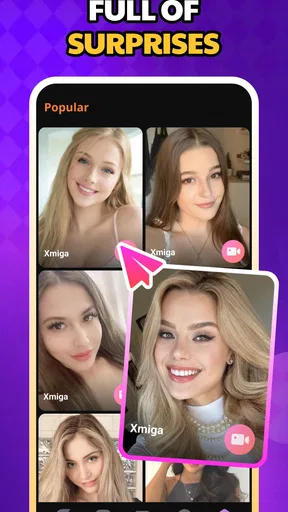
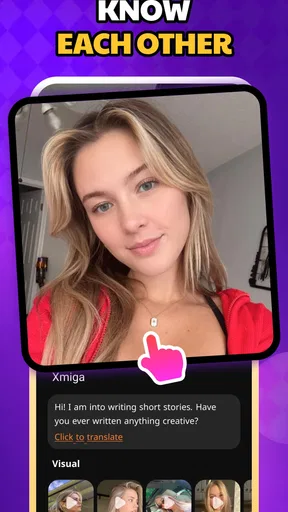

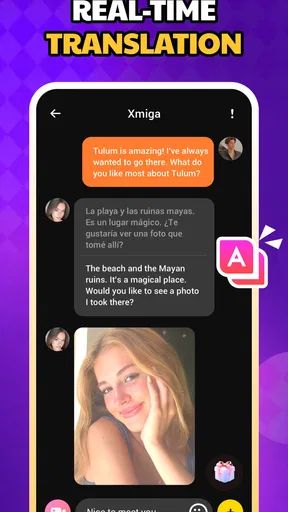
 Analysis by AppCompare
When a social app is likely to be used around other people, the first question is not simply whether it looks entertaining. I want to know whether it fits naturally into shared routines, whether each person can keep a sensible boundary around their account, and whether the age rating matches the people who may see it. Xmiga caught my attention as a video-focused social app from BESTSIV STUDIO, but I found that its real value depends heavily on who is using it and how carefully the household handles access.
My overall impression is positive but measured. The app is free to install, has a 4.5 average from around 48 thousand ratings, and has passed the one-million-install mark. Those figures suggest that it has found an audience, yet popularity alone does not make it automatically suitable for every shared phone or family tablet. Its Mature 17+ rating should be treated as a practical boundary, not as a small detail to overlook.
How Xmiga fits into a shared household
I can imagine Xmiga being opened in several ordinary situations. Someone might use it alone in the evening to watch or participate in video-based social activity, while another person in the same home borrows the device later for something completely different. A roommate could use the app on a common tablet, or a couple might take turns using one phone while traveling. In each case, the important issue is that the app belongs to the individual user, even when the hardware is shared.
That distinction matters because social apps are more personal than a weather tool or a streaming player. A video feed can expose conversations, preferences, contacts, or activity that another household member was never meant to see. I would not treat Xmiga as a communal entertainment app where everyone can casually browse without thinking. It is better approached as an individual social space accessed through a device that may happen to be shared.
In my experience, the smoothest shared-device routine begins with a simple rule: the person who installed the app should remain the person responsible for using it. I would avoid handing the phone to a child just because the app is already open, and I would not assume that a guest can browse safely simply because the interface looks familiar. The Mature 17+ label makes that caution especially important.
Xmiga can be useful for adults who want video socializing without committing to a desktop setup. A phone is easier to carry from room to room, and short sessions fit naturally into breaks, commuting, or quiet time at home. That convenience is also the main household risk: because the app is always close at hand, it can be opened casually by the wrong person unless the device itself is managed sensibly.
Keeping the account separate from the device
The most practical setup choice is to think in terms of account boundaries rather than ownership of the phone. If two adults share one device, I would give each person a clear turn and close the active session before passing it over. I would also avoid saving login details where another user can select the account by accident. These are small habits, but they prevent the awkward situation where one person starts seeing another person’s social activity.
Worth Reading Before You Choose

EA SPORTS FC Mobile 26 Is a Bigger Football Game, but It Takes Time

Flipboard Shows What News Apps Must Do Beyond the Feed

Switching to Android Auto Means Rethinking Your Driving Routine

Google Calendar Makes a Crowded Week Easier to Manage

Ludo King Makes the Most of the Minutes Between Plans

Baby Panda World Brings Quick Play to Modern Phones, but Its Game Library Feels Busy
I would not create a shared profile simply to make switching easier. A social identity works best when its conversations and interactions belong to one person. Shared credentials can blur responsibility, make it unclear who posted or responded, and create unnecessary tension if a message is misunderstood. Xmiga feels more appropriate for separate personal use, even if the household has only one compatible device.
On Android, the app requires version 7.0 or later, so an older phone may not be suitable. That is worth checking before planning to use a spare household device. Compatibility is not just a technical question here; an old phone may also be slow, have limited storage, or struggle when video and other household apps compete for attention. I would test the device with the intended user before making it the main Xmiga screen.
The current version is 1.1.4, which gives users a clear reference point when checking whether their installation is current. I would keep the app maintained through the normal app-store process, especially on a shared device that several people depend on. I would also make sure the operating system itself is not neglected, because social apps handle personal activity and video content rather than merely displaying static information.
Coordinating use without turning it into a chore
Household coordination does not need a complicated schedule. A simple agreement can cover the essentials: who owns the account, when the shared device is available, and what happens when another person needs the phone. I find that this works better than trying to monitor every minute of use. The goal is to prevent surprises, not to turn a social app into a household dispute.
A useful routine is to finish a conversation or viewing session before handing over the device. That reduces the chance that a notification, open chat, or visible profile appears in front of someone else. If the phone is likely to be borrowed unexpectedly, I would close Xmiga rather than leaving it on the last screen. This is particularly sensible in a home with visitors or younger people who may pick up the device without understanding the app’s age context.
There is also a coordination issue around attention. Video socializing can be more absorbing than text-based messaging because it asks the user to watch, listen, and respond. In a shared living space, headphones or a private room may make the experience more comfortable for everyone. I would not use the app loudly in a room where others are working, sleeping, or watching something else. That is not a limitation unique to Xmiga, but the video-centered design makes it more noticeable than with a conventional messaging app.
For couples or roommates, I would separate social time from practical household communication. Xmiga may be a place for video interaction, but it should not replace a shared calendar, a shopping list, or a direct household message thread. Keeping those tasks elsewhere makes it easier to know whether a notification is personal entertainment or something the home actually needs to act on.
One less obvious trade-off is the difference between visibility and privacy. A shared device makes it easy for another person to notice that Xmiga is installed or recently used, while a personal phone keeps that activity less exposed. On the other hand, a common tablet may be more comfortable for longer viewing sessions. I would choose the device based on the kind of interaction intended: private, personal use belongs on an individual phone; casual adult use in a shared space requires more awareness.
Age context and household trust
The Mature 17+ rating changes my recommendation substantially. I would not install Xmiga on a child’s device, and I would not allow unsupervised access simply because the app is free. The rating does not tell me that every moment inside the app will be unsuitable, but it does tell me that the service is intended for an older audience. In a household with teenagers, the decision should be made by the responsible adult with the rating in view, not by treating Xmiga like a general-purpose video utility.
This is also where trust matters more than technical convenience. If an adult shares a phone with a younger family member, logging out and locking the device may be more appropriate than relying on a verbal warning. I would explain that Xmiga is an adult-oriented social app and keep the account owner responsible for access. That conversation is more useful than pretending that a shared screen removes the need for age awareness.
I would also be careful about letting a child watch over an adult’s shoulder. Even when the adult is using the app appropriately, social video content can change quickly, and the younger viewer may not understand the context. A household rule that the app is used privately by adults is clearer than trying to judge every individual clip or interaction after it appears.
For adults, the rating should still encourage sensible behavior. Video socializing involves real people and personal interaction, so I would avoid sharing private household details, displaying documents in the background, or using the app in a room where sensitive information is visible. This is a practical privacy habit rather than a claim about a particular Xmiga feature. The camera-facing nature of social apps makes the surroundings part of the conversation whether the user intends that or not.
What the social experience does well
Xmiga’s strongest appeal is its focus on video socializing. I prefer that kind of interaction when text becomes too flat or slow, especially when I want a stronger sense of presence. Seeing and hearing another person can make a short exchange feel more natural than a long chain of messages. For adults who enjoy that immediacy, Xmiga is more engaging than a basic chat application.
It also feels more direct than a traditional social network built mainly around polished posts. A conventional feed can encourage passive scrolling, while video-centered interaction creates a stronger sense that the user is taking part. That can be a benefit for people who want conversation rather than simply reading updates.
Still, I would not replace every other social tool with it. Messaging apps remain better for quick coordination, written details, and conversations that need to be searched later. Established video-call services are often a better choice for planned calls with family, colleagues, or a small group that already knows one another. Xmiga makes more sense when the user wants a social video environment rather than a formal meeting or a household noticeboard.
That difference helps define its audience. I would recommend it to an adult who enjoys discovering video-based social interaction and is comfortable keeping personal use separate from family routines. I would be less enthusiastic for someone who wants a quiet, private messaging tool, a work-focused video platform, or a child-friendly social environment. The app’s identity is its advantage, but it is also the reason it will not suit every purpose.
Costs, expectations, and everyday friction
Xmiga is free to install, which makes trying it relatively easy. However, in-app purchases range from under a dollar to amounts approaching one hundred dollars per item. That spread is wide enough that I would not let a child use a payment-enabled account, and I would review the device’s purchase protections before sharing the phone with anyone else. Free entry does not mean every part of the experience is cost-free.
I also prefer to decide in advance whether I am willing to spend anything. Social apps can make optional purchases feel connected to participation, attention, or self-expression, even when the basic download costs nothing. My approach would be to use Xmiga without assuming that spending is necessary, then judge whether the free experience is useful on its own. If the app only feels worthwhile after repeated purchases, it may not be the right fit for a budget-conscious user.
Another point of friction is the need for privacy discipline. A video app can be enjoyable in a private room but uncomfortable in a crowded household, especially when the user cannot control who walks into view or hears the conversation. I would choose a neutral background, keep personal papers out of camera range, and avoid using the app during moments when another person may appear without consent. These habits make a bigger difference than changing a cosmetic setting.
Notifications deserve similar attention. On a personal phone, they may be welcome reminders to return to a conversation. On a shared device, they can reveal social activity on the lock screen or interrupt another person’s use. I would adjust notification visibility at the device level and make sure every household member understands that the phone is not a private screen when it is left unattended.
Who should install it, and who should choose another app
I think Xmiga is a reasonable choice for adults who specifically want video-based socializing and are prepared to manage their account as a personal space. The one-million-plus install reach and strong average rating show that it is not an obscure experiment, while the developer, BESTSIV STUDIO, has positioned it clearly within the social category. Those signs make it worth trying, but they do not remove the need to judge whether its style matches your habits.
I would skip it for a household seeking a shared, all-ages app. The 17+ context is too important to ignore, and a common tablet in a family room is not automatically an appropriate place for it. I would also choose a conventional messenger for grocery lists, school coordination, or urgent practical updates. Xmiga is not the tool I would trust as the household’s central communication channel.
For a user who dislikes being visible on camera or prefers carefully edited content, a text-led social network may feel more comfortable. For someone arranging a scheduled call with relatives, a dedicated video-calling service may be simpler. Xmiga has a narrower but more distinctive purpose: it is for people who want social connection through video and are willing to handle the extra privacy, attention, and age considerations that come with that format.
If I were introducing it to a shared household, I would start with one adult account on one personal device, not with a communal login on the living-room tablet. I would confirm that the operating system meets the requirement, review purchase protection, close the app after each session, and establish that younger household members do not use it. That setup gives the app a fair trial without allowing convenience to erase sensible boundaries.
My final view is that Xmiga works best when treated as a personal adult social app rather than a family utility. Its video-first approach can feel more immediate and human than ordinary text feeds, and the free installation lowers the barrier to experimenting with it. At the same time, shared-device use requires deliberate account separation, privacy awareness, and clear age rules. The best household decision is not simply whether Xmiga is enjoyable, but whether the home can give it the right personal space. For adults who can do that, it is worth exploring; for families wanting one social app for everyone, I would look elsewhere.
Pros
- Simple interface that is easy to understand for first-time users.
- Lightweight app that should run smoothly on many Android devices.
- Useful for discovering and accessing content from one central place.
- Quick navigation keeps common actions easy to reach.
- Regular updates may improve stability and add useful features.
Cons
- Some features may require registration or personal information.
- Content availability can vary depending on your location.
- The app may include advertisements during normal use.
- Older devices could experience slower loading or occasional glitches.
- Privacy details should be reviewed carefully before creating an account.
FAQs for Xmiga
What is Xmiga, and what can I use it for?
Xmiga is an entertainment-focused application designed to give users access to digital content and related features from a mobile device. Its exact tools and available material may depend on the version, region, and account settings. Before downloading, review the official description carefully so you understand whether Xmiga provides the type of content, browsing experience, and functionality you are looking for.
Is Xmiga free to download and use?
Xmiga may be available as a free download, but that does not always mean every feature or piece of content is free. Some versions of an app can include advertising, optional purchases, subscriptions, or restricted areas that require registration. Check the current Google Play Store or Apple App Store listing for pricing, in-app purchase details, and any trial or renewal conditions before installing.
Is Xmiga safe to install on Android or iPhone?
The safest way to install Xmiga is through an official app store or a verified publisher source. Before proceeding, check the developer name, recent user reviews, update history, requested permissions, and privacy information. Avoid unofficial APK files or modified versions, since they may contain unwanted software, collect data improperly, or stop working correctly after an operating-system update.
What permissions and personal information does Xmiga require?
The permissions requested by Xmiga can vary according to the device, operating system, and features you use. Pay attention to requests involving storage, notifications, network access, location, camera, microphone, or account information. Only grant permissions that appear necessary for the app’s advertised functions, and read its privacy policy to learn how collected data may be stored, shared, or deleted.
Will Xmiga work on my device, and does it require an internet connection?
Compatibility depends on the Xmiga version, your Android or iOS release, available storage, and device hardware. Many content-based applications require a stable internet connection for sign-in, loading material, synchronizing data, or displaying advertisements, even if some features appear offline. Confirm the minimum operating-system requirements in the official store listing and keep enough free space for updates and cached content.


